


AZERON SOFTWARE v2
Map every key with Azeron Software v2
Map every key your way
with Azeron Software
Build a profile for every game - bind keys, create macros, tune the thumbstick, and save to onboard memory.
Latest: Version 2.0.3 Learn what's new →
Switching from v1.5.6 (or any other v1.x version)?
Remember to back up your on-board profiles before you upgrade the software. The latest version doesn't support older v1 devices with Teensy boards.
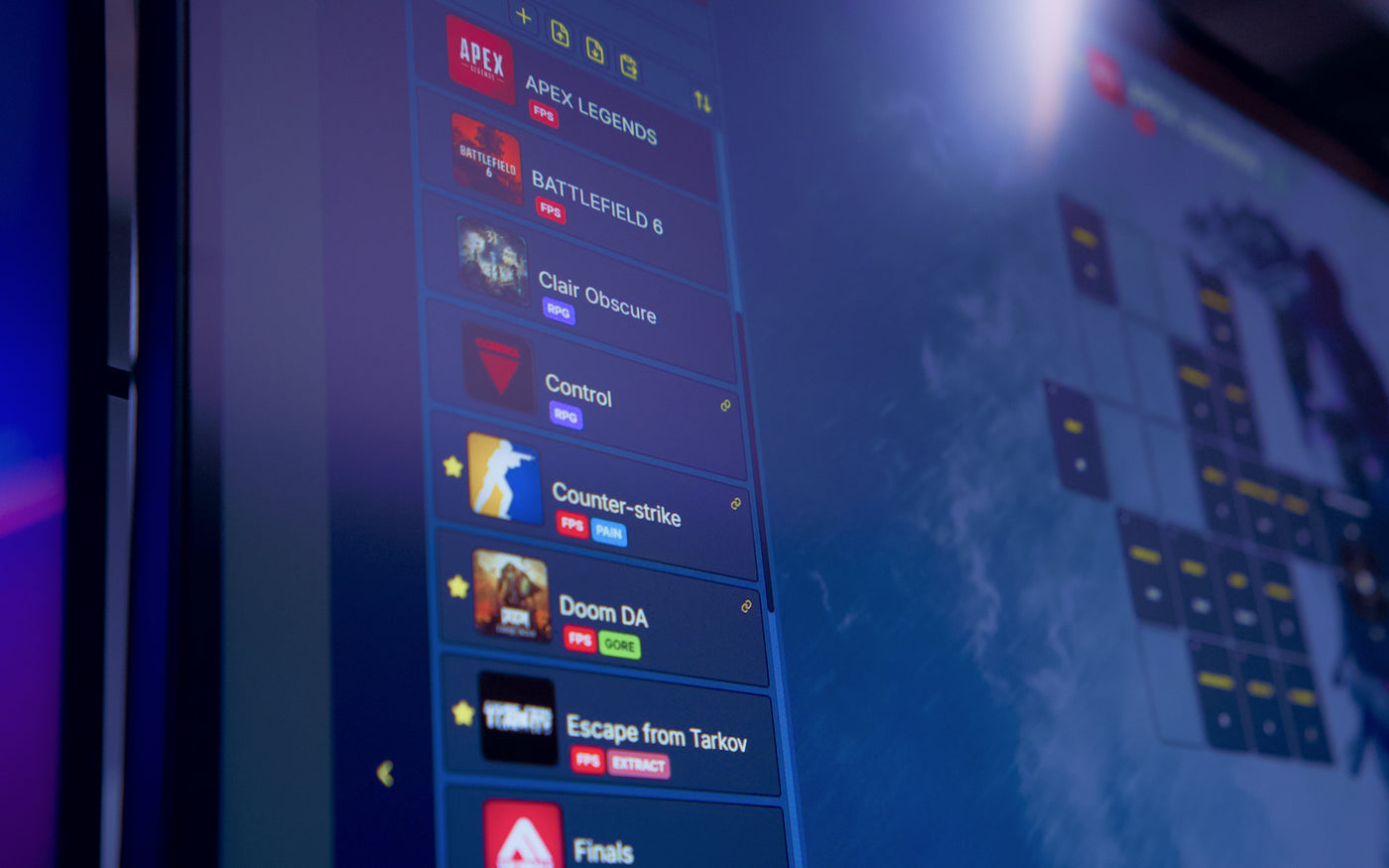
Watch it work
A QUICK TOUR OF EVERYTHING AZERON SOFTWARE CAN DO
Set up faster
than you'd think.
A quick tour of everything Azeron Software can do.
Minutes here beat an afternoon of guessing. Watch the main features and everything new in Software v2 come together in one video.
Best experience watching horizontally on mobile and on desktop.
How it works
Three steps to get started
Three steps to get started
Download the software, plug in your Azeron, and map inputs.

Download the software
Download the latest version of the Azeron Software.

Plug in your Azeron
Connect your keypad via USB and
the software will detect your device automatically.

Map inputs
Create a profile for your game and start mapping. Begin with your most important keys, then expand as you get comfortable.
Free. No subscription. No hidden costs.
Key Mapping
MAP EVERY KEY TO WHERE YOUR FINGERS ARE
Map every key to where your hand is.
A keyboard gives you keys in rows. Azeron gives you a setup built around your hand — every input within reach, no stretching mid-fight.
-
 Every action at your fingertips
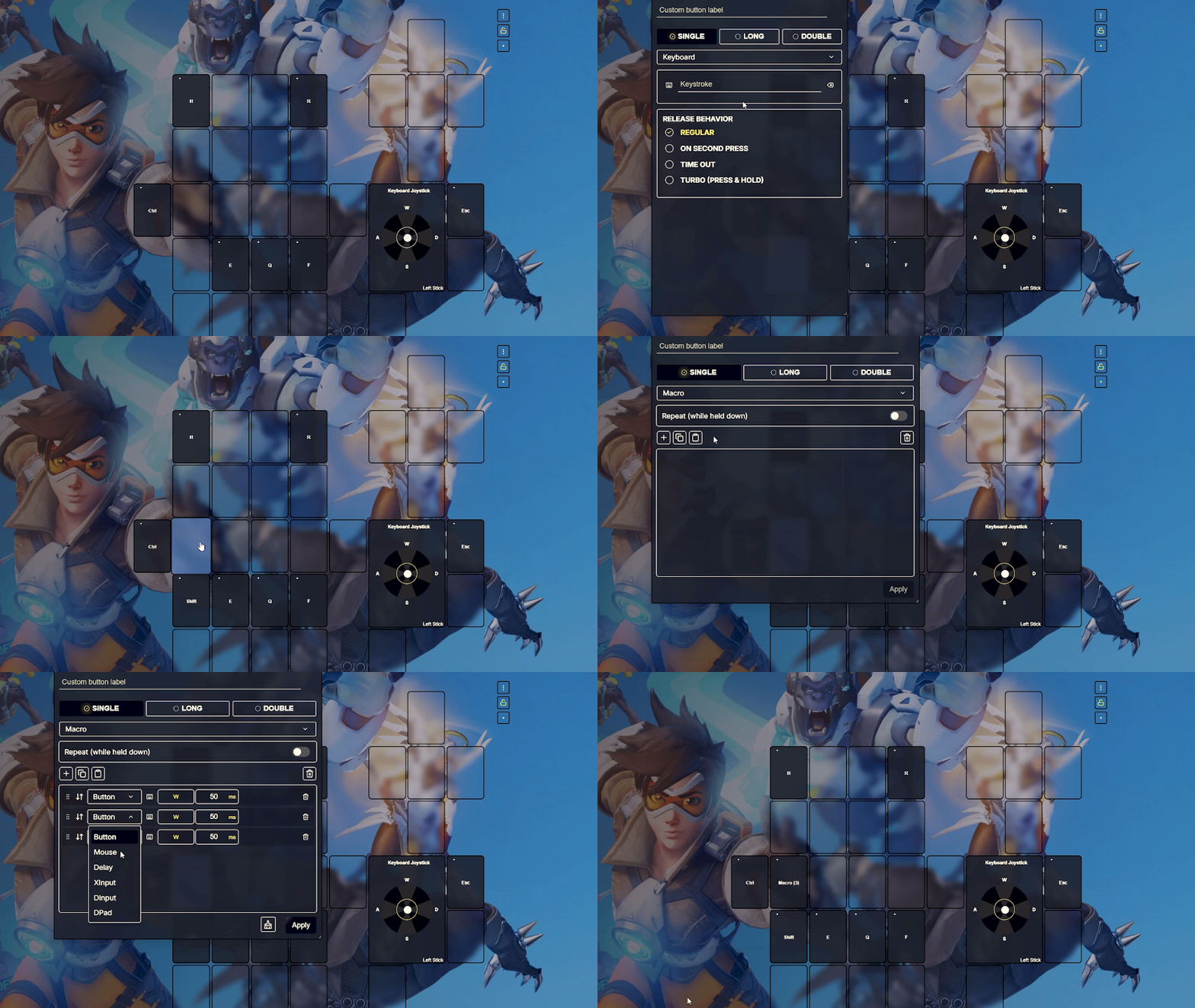
 Map moves and abilities to the keys your fingers naturally rest at. Use single press, double press or hold to execute a command.
-
 Turn multiple inputs into one press
 Create macros, key sequences, or key combos and bind them to a single key.
-
 Six profiles that travel with you
 Save your binds directly on your Azeron. Plug into any PC and your setup is instantly ready.


Analog Control
Move with a thumb,
not three fingers
Move with a thumb, not three fingers.
-
 Game faster
 Control your character with your thumb while using the rest of your fingers for other commands.
-
 True analog
 Use XBOX 360 mode for smooth 360-degree movement in games that support it.
-
 Tune it to your game
 Adjust dead zone and sensitivity so your thumbstick feels responsive in fast shooters and steady in sims.


Game Profiles
A LAYOUT BUILT AROUND YOUR GAME
A layout built around the game you're playing
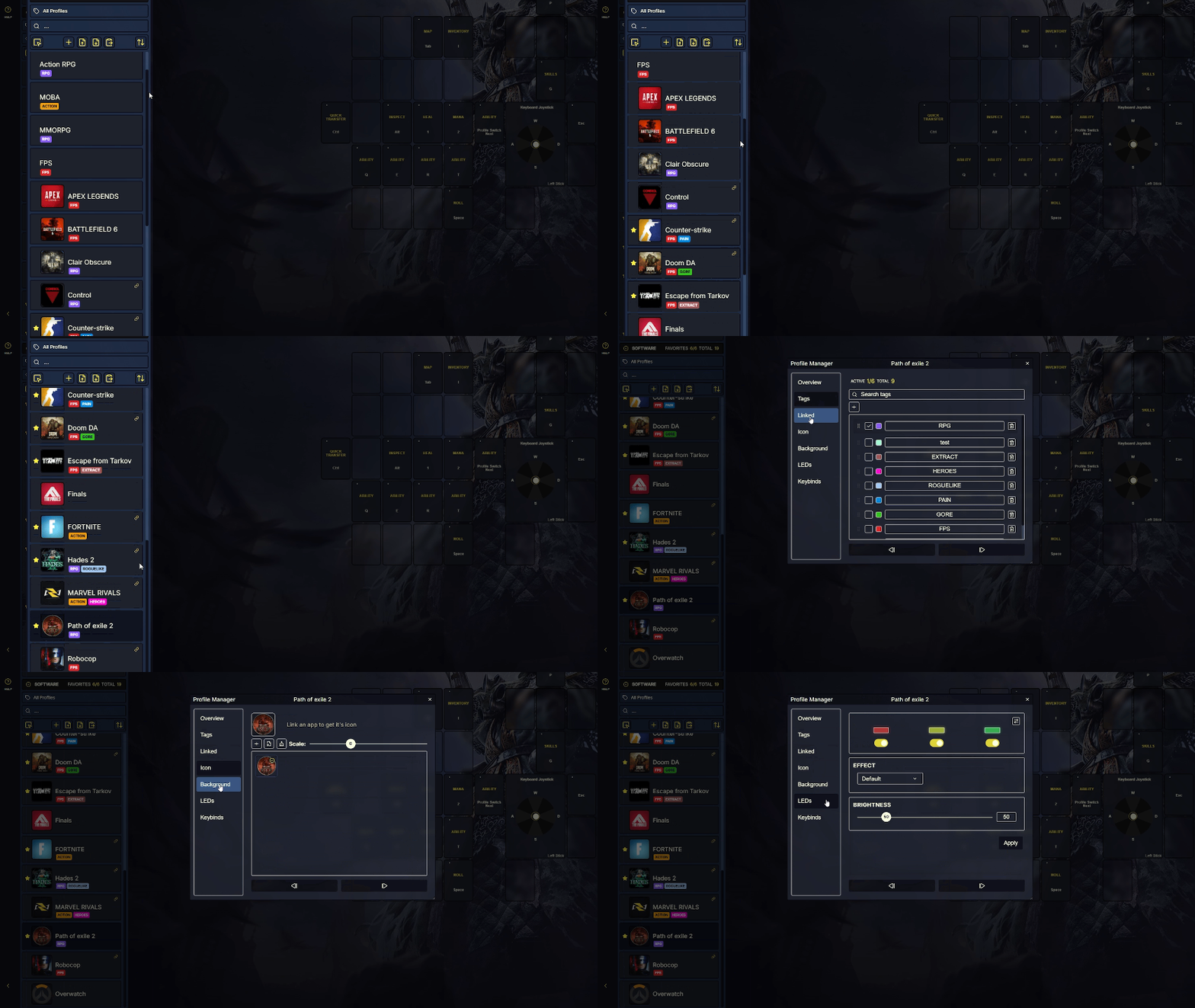
Each game requires its own key placement, and in Software v2, each one gets its own profile that loads the moment the game launches.
-
 Separate profile for every game
 Save your RPG, FPS and MOBA controls as individual profiles – each with its own binds, macros, and thumbstick settings.
-
 Your setup loads automatically
 Assign a profile to a game once. Software will switch to the right profile when you launch the game.
-
 Keep your library organized
 Add icons, backgrounds, tags to your profiles so you can find the right setup instantly.


Azeron Community
Got a feature in mind? We're listening.
Got a feature
in mind?
We're listening.
The best ideas in Software v2 came from users like you.
Drop your request in our Discord and help shape what's next.
Join 20,000+ other users in our Discord.
FAQ & GUIDES
FAQ & Guides

Where can I find good keybind setups?
The best place to look for existing keybinds is in our Discord server. Join the server here: https://discord.com/channels/513457145648250880/1282900291012005949

Will my profiles transfer when I update to 2.0.1?
Yes. All your profiles carry over automatically when you first open 2.0.1. We'd still suggest exporting a .json backup beforehand, just in case.

What operating systems is it on?
Windows, Linux (experimental, tested on Arch distributions (SteamOS) )

How many profiles can I have?
You can have 6 on-board profiles (profiles you can use without running software) + unlimited amount of profiles in software.

Should I turn on "eight unique directional zones" for normal diagonal movement?
No. Standard diagonal movement (like pressing W+A at the same time) works by default. The "eight unique directional zones" option is specifically for when you want a single, distinct key for every direction (for example: UP presses B, UP-RIGHT presses only C, RIGHT presses E, etc.) without combining inputs.

I am unable to find macros.
Macros can only be used on Software profiles. Macros are not available on the onboard profiles. Switch to a software profile to create and use macros.

Why does my character move sideways or diagonally when I push the joystick straight forward?
You need to adjust your thumbstick angle in the software. Changing the angle ensures that your natural "forward" push aligns perfectly with "W" in the game.

Why can't my thumbstick reach the outer lines in the software after I put on the restrictor ring?
You need to recalibrate the joystick. Whenever you install a restrictor ring, the physical range of motion changes. Recalibrating ensures the software correctly maps your thumbstick's new boundaries.

Can I easily switch between left and right thumbstick modes?
Yes! You can actually bind the "toggle thumbstick" function to a single button on your keypad. This allows you to instantly swap between left and right thumbstick outputs.


