


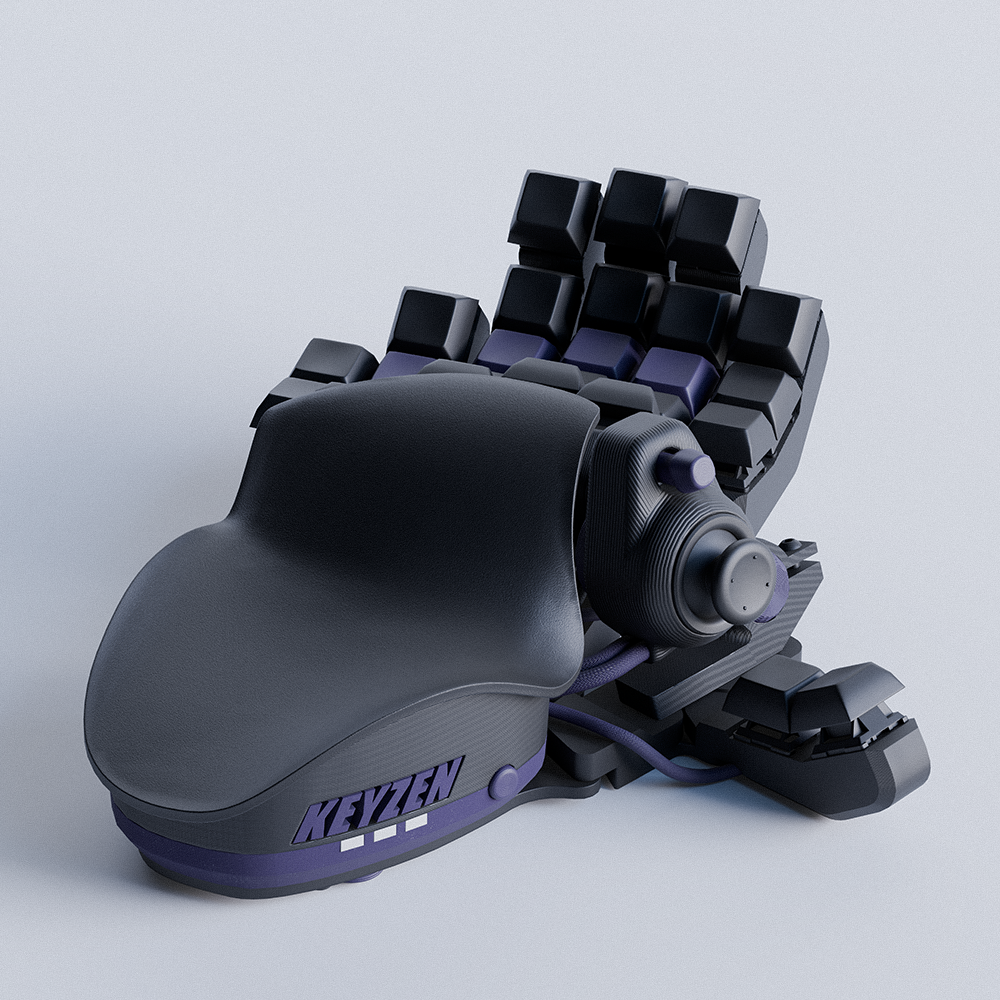


Galaxy Purple Keyzen
Keyzenは、メカニカルキーキャップの確かな打鍵感と360度可動のアナログサムスティックを融合したデバイスとなっています。
キーボードの精密な操作性および、自然で滑らかな移動を求めるゲーマー様にぴったり。
送料はレジで計算されます


在庫あり
60%+ of Players Grab These Upgrades

Extended Warranty for 1 year
Play long, stay protected
+ ¥3,700 JPY

Adjustable Stand for Ergonomic Wrist Position
: ギャラクシー・パープル
Ergonomic angle and less fatigue
+ ¥5,600 JPY

Adjustable Stand for Ergonomic Wrist Position
: ギャラクシー・パープル
Ergonomic angle and less fatigue
+ ¥5,600 JPY

Palmrest Grip Tape for Zero Slip
: フーシャピンク
Stay locked in without slips
+ ¥1,200 JPY

Palmrest Grip Tape for Zero Slip
: フーシャピンク
Stay locked in without slips
+ ¥1,200 JPY

Keycaps
: Black
Full control on every press
+ ¥1,000 JPY

Keycaps
: Black
Full control on every press
+ ¥1,000 JPY

Custom Nameplate
: Blue
+ ¥3,500 JPY
Keyzen technical specs
- Three Cherry MX mechanical switch types;
- Recommended wrist-to-fingertip length: 20–21 cm (7.9–8.3 in) or more;
- Hall effect thumbstick;
- 32 mappable inputs;
- DSA keycaps with visual customization options;
- Adjustable and ergonomic;
- Omron switches with a lifespan of 50 million clicks;
- Up to 6 onboard profiles;
- Customizable design, incl. RGB profile lights.
Hall Effect vs Hall Effect Elite

箱の中身について
- Azeron Keyzen(キーゼン)
- Flat and curved palmrests
- 調整用のAzeronドライバー
- サムスティック用の交換キャップ
- リストリクターリング
- 予備のネジ(小さいタワー用を含む)
- USB-Cケーブル(2m)
- クイックガイド
- 99%リサイクル可能な包装
Shipping & Returns
60-Day Money-Back Guarantee
We want you to love it. Play for hours, test different keybinds, and try it in your favorite games. If it's still not the right fit, return it within 60 days according to our return policy. Just reach out to info@azeron.com.
Shipping & Delivery
Most orders usually ship within 1–3 business days. The estimated delivery time is shown on the product page and at checkout.
多くのご注文が集中する繁忙期には、発送までに数営業日の遅れが生じる場合がございます。
全ての画像は、説明目的でのみ使用しております。
常に開発を継続しておこなっておりますため、実際の製品とは違いがある場合がございます。
As Seen On:













USED BY 127,500+ GAMERS WORLDWIDE
For players who refuse keyboard limits — and unlock their full potential.
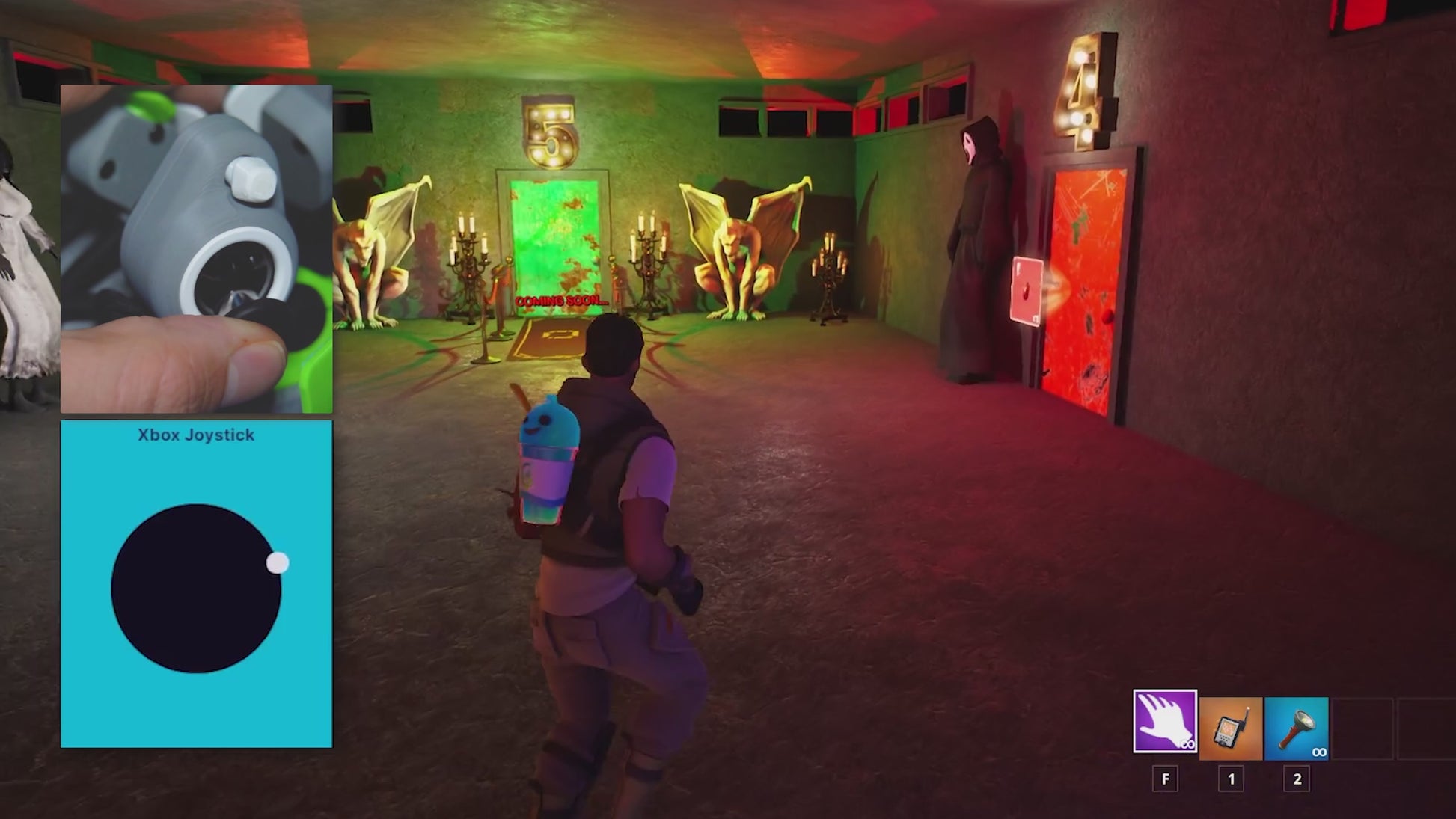
WASD Had Three Fingers. We Gave You One Thumb.
No stick drift, no dead zones, true 360° analog movement. Shift movement to your thumb and free every other finger for more inputs and commands.

Your Thumb Deserves Better
The standard thumbstick is precise. The Elite Series is precise and personal - four magnetic caps for the height and shape your thumb prefers, a textured surface that holds through pressure, and comfort that stays consistent from the first match to the last.
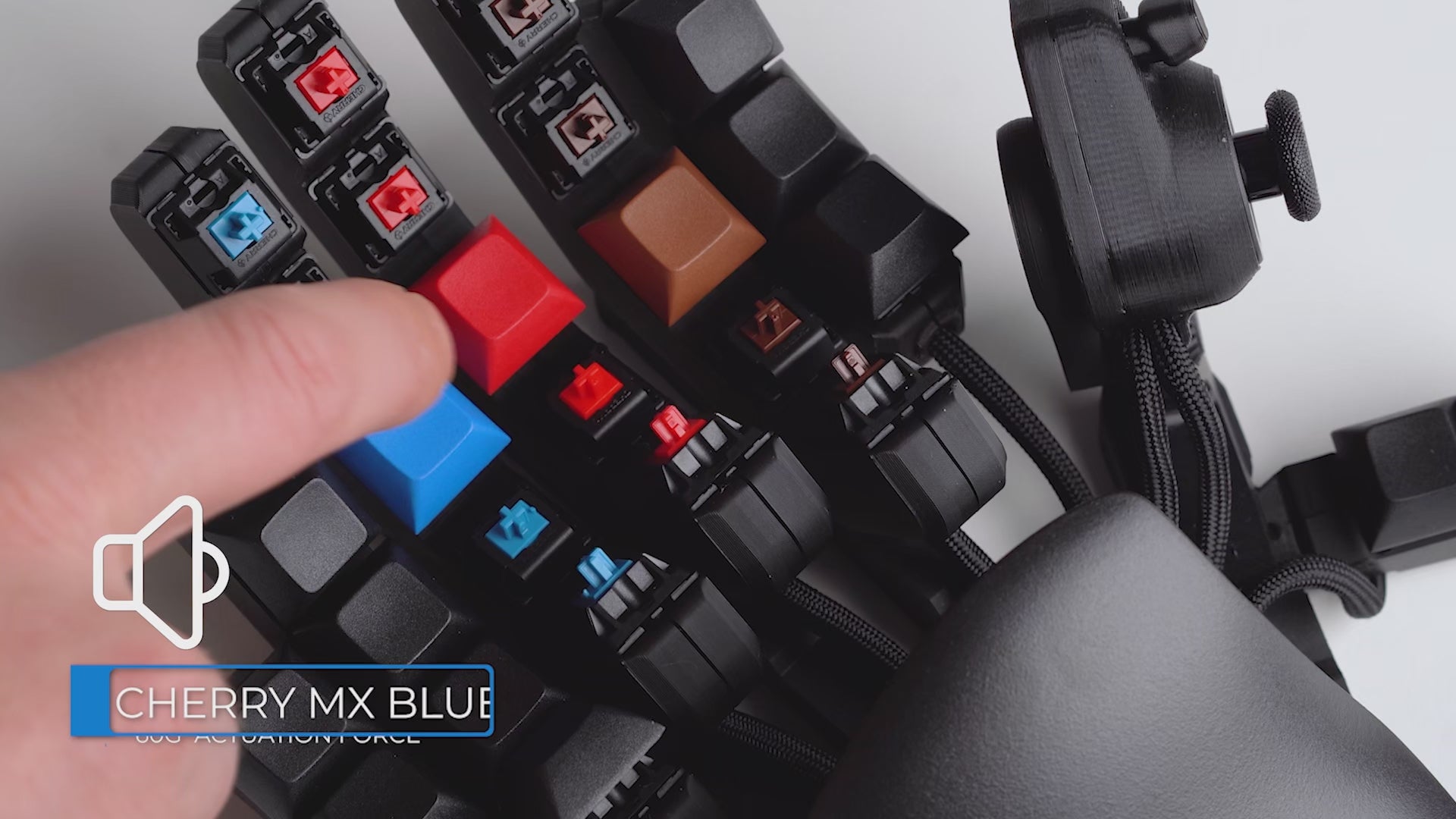
Pick Your Perfect Click
Three Cherry MX options, choose your feel: Red (smooth & fast), Blue (clicky & precise), Brown (quiet & tactile).

キーのマッピングも簡単
スキルや動作の割り当ても、スピーディーに。お気に入りの操作レイアウトをキーパッドに最大6つ保存でき、さらに多くの設定も、使いやすいAzeronの専用ソフトウェアにて管理可能。

Built for Your Hand's Comfort & Ergonomics
Play longer with Keyzen's personalized ergonomics. Adjust the tower distance and angle to match your hand's anatomy, ensuring a zero-strain gaming position that keyboards can't match.
Beyond Keyboard: The Anatomy of Control
1
32 Mappable Inputs
Every input is within easy reach and fully mappable to fit your game & playstyle.
2
Cherry MX Switches
Choose Red, Blue, or Brown — 50M+ click lifespan for the feel you know and trust.
3
Ergonomic Palmrest
Switch between flat and curved palmrests for personalized ergonomic fit.

1
2
3
4
5
6
4
Curved Key Towers
Adjust tower distance, angle, spacing,
and fit the keys to your hand.
5
360° Hall Effect Thumbstick
Drift-free, precise analog control — switch between WASD and 360° movement modes.
6
6 Onboard Profiles
Switch between saved keybind profiles directly on the keypad with a simple press.

The Edge That Feels Unfair
Keyboards weren't built for gaming.
We built something that was.
Smooth 360° movement
Every action within reach
Familiar keys, upgraded control
Natural resting, zero strain
Left or right hand options
Keyzen
Gaming Keyboard

"Fortnite、Valorant、Modern Warfareのようなゲームに最適。"
- Hardware Canucks 編集部
YouTube

"スピードに圧倒された。設定には少し手間がかかりますが、その効果は絶対に価値があります。"
- GamesRadar+ 編集部「

"ゲーム好きのために、ゲーム好きが作ったデバイスである感じがする。"
- Tom’s Hardware 編集部 Mylse Goldman
What Other Gamers Asked

Why choose Keyzen over a keyboard?
A traditional keyboard forces you to stretch your hand across fixed keys. The Azeron Keyzen places every input exactly where your fingers naturally rest — adapting to you, not the other way around.
Its 360° analog thumbstick delivers smoother movement than WASD, while 32 mappable inputs stay within immediate reach. The adjustable parts reduce strain and increase efficiency, especially in fast-paced and ability-heavy games.

When choose Keyzen over a Cyborg II?
Choose the Keyzen if you want a more traditional keyboard-like experience with mechanical switches.
- Keyzen: Cherry MX mechanical switches (Red/Blue/Brown), 32 programmable inputs, DSA keycaps, 2–4 mm key travel, 45–60 g actuation — ideal if you already love mechanical keyboards.
- Cyborg II: Omron microswitches, 30 programmable inputs, adjustable towers, ultra‑short 0.3–0.6 mm travel, 20–50 g actuation — better if you prefer a mouse‑click feel.
In short: pick Keyzen for keyboard feel & precision control, and Cyborg II for ultra‑light, clicky, mouse‑like actuation. Also, Cyborg II offers more physical adjustability than the Keyzen.

Is there a learning curve?
There is a short adaptation period, but most users feel comfortable after 10–20 hours of gameplay. The key is to start simple.
Begin by mapping 4–5 essential actions and focus on getting comfortable with movement and core abilities. As it starts to feel natural, you can gradually expand your keybinds and and unlock the full potential.

What games does Keyzen work with?
The Keyzen works with any PC game that supports keyboard input, including:
- FPS: CS2, Valorant, Warzone, Apex
- MMO: WoW, FFXIV
- MOBA: Dota 2, LoL
- RPG & More
All inputs are fully remappable through Azeron software. In games that support simultaneous mouse + controller input, the thumbstick can be used in true 360° analog mode. In other games, it can emulate WASD or directional keys.
Can I use Keyzen on console?
The Keyzen can be used with console games that support mouse and keyboard input. Keybinds must first be configured on a PC using the Azeron software.
For console games that do not support mouse and keyboard input, a XIM adapter is required for Xbox and PS5.

What if Keyzen doesn’t feel right for me?
No pressure. The Keyzen comes with a 60-day money-back guarantee, giving you plenty of time to actually play, adapt, and dial in your setup.
Use it in real games, experiment with keybinds, and see how it feels over multiple sessions — not just a few minutes out of the box. If it’s not the right fit, you can return it according to our return policy.

Does the Keyzen come with a warranty?
Yes. Every new Keyzen includes a warranty covering manufacturing defects.
- EU customers: 2-year warranty from the shipping date
- Non-EU customers: 1-year warranty, with an option to extend for an additional year
The warranty covers defects in materials and workmanship, not normal wear or accidental damage. Full details are available in our Refund & Warranty Policy.

When will I receive my Keyzen?
The current estimated delivery time is shown on the product page at the time of purchase. Once your order is ready and handed over to the courier, you’ll receive a tracking number so you can follow your shipment.
Orders placed through our official store can be tracked anytime using Track Order section.


